Same playlist. So much more.

Add your playlist. Films come with posters, matches with line-ups, channels with their guide.

Coming soonGoogle PlayComing soonApp Store

7 days of Premium, free.

HipTV provides no content. You add your own playlist.
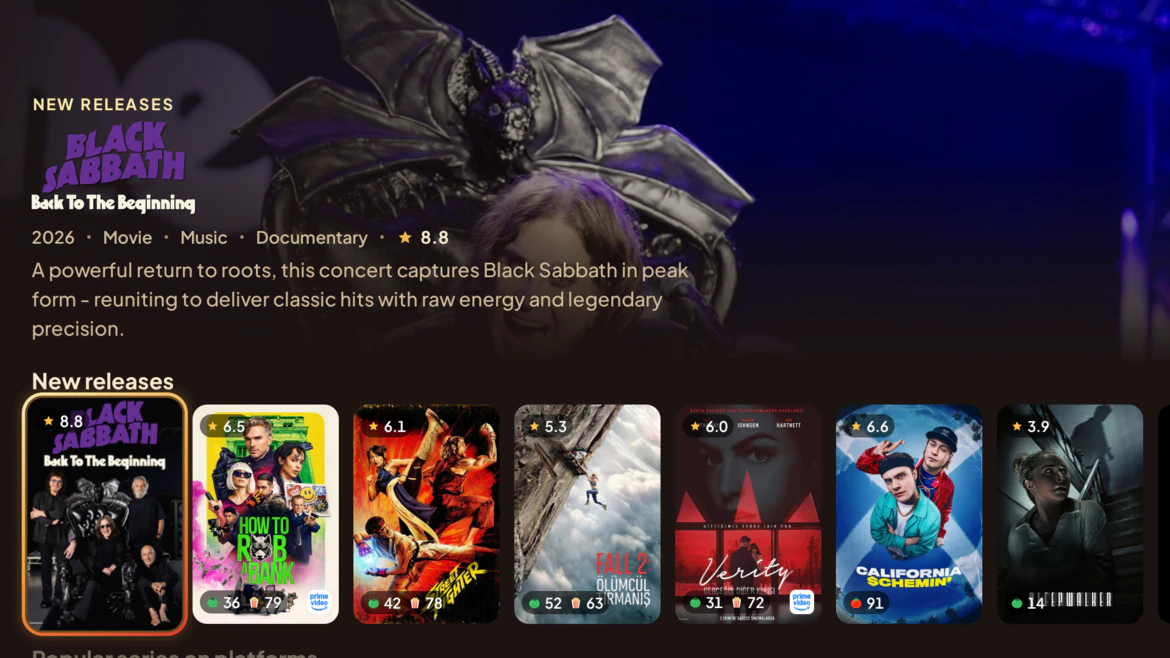
HipTV’s Android TV home screen in English: New releases, with the featured documentary Black Sabbath: Back to the Beginning, its rating and synopsis, and a row of rated posters below
  • Android TV and Google TV
  • Android phones and tablets
  • iPhone
  • iPad
  • Apple TV

What to watch?

Don’t spend the evening searching.

Filter the films and series in your playlist by genre, year and rating. Can’t decide? Let “Surprise me” pick.
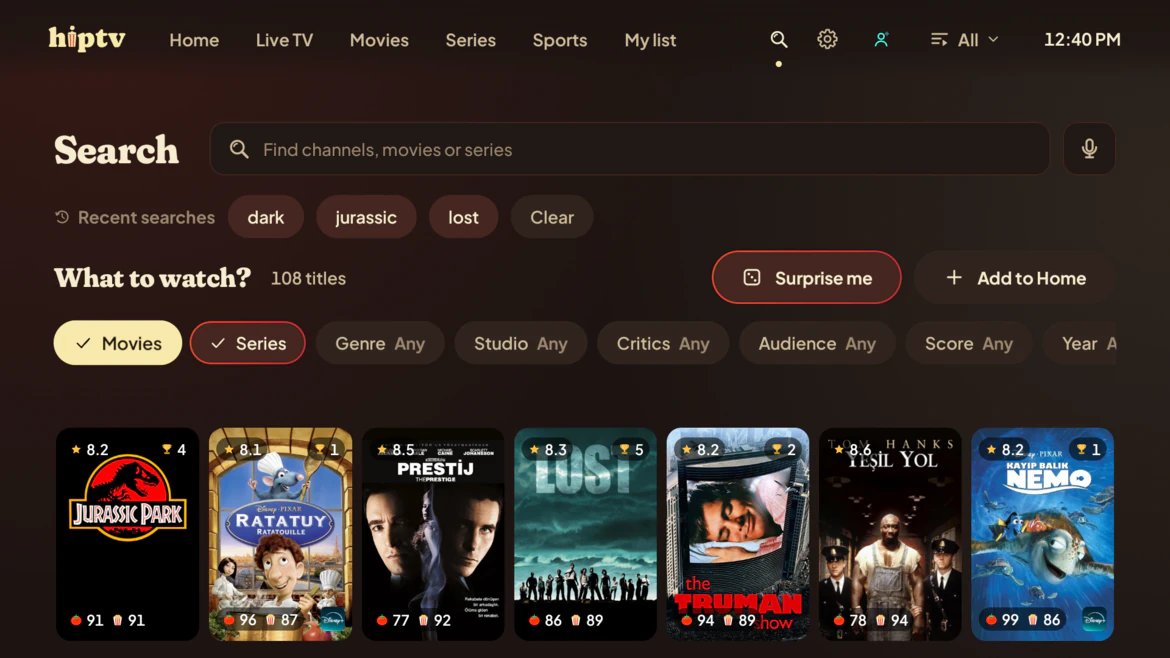
The What to watch? screen: 108 titles, a Surprise me button, genre, studio, critics, audience and score filters, and rated posters below

Sports

Which channel is the match on? Right here.

Today’s matches with their times and channels, on one page. Pick a channel and the match opens. Line-ups are there too, once announced.
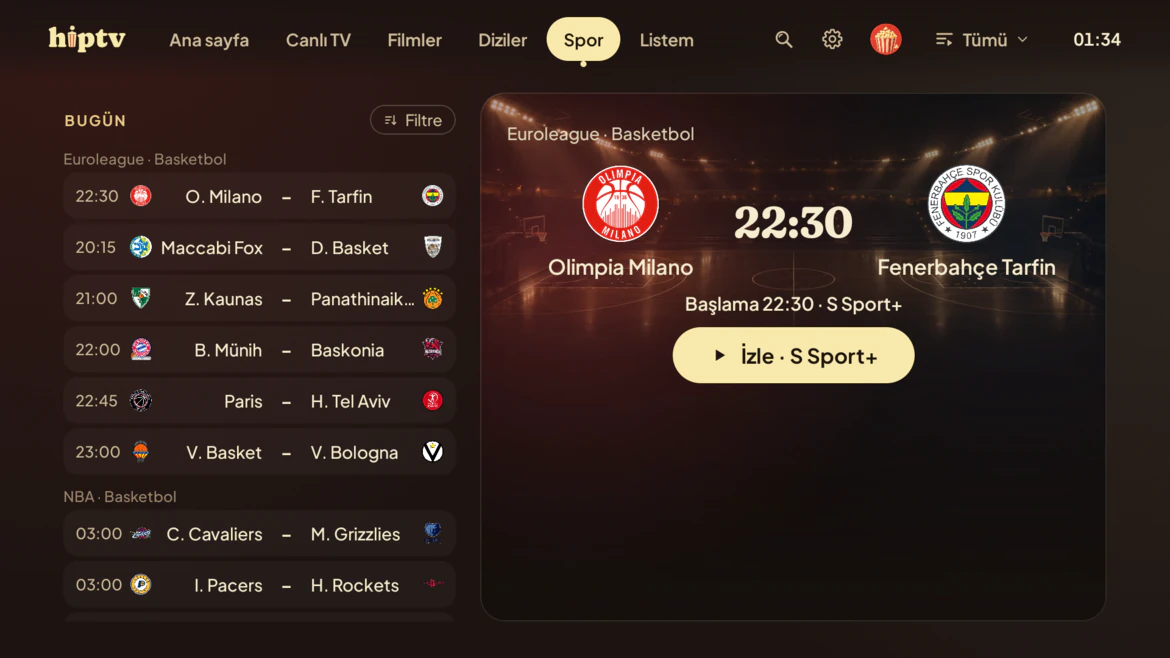
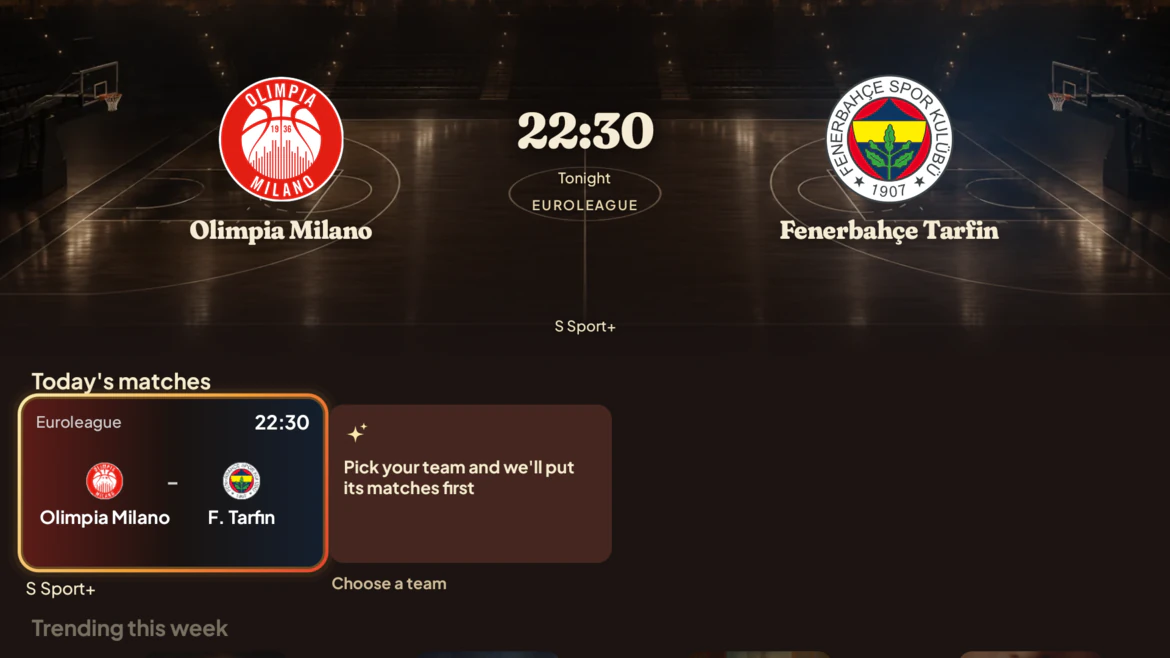
The sports page: today’s EuroLeague and NBA games with times and crests on the left; on the right the selected game, Olimpia Milano v Fenerbahçe Tarfin, with tip-off time, broadcasting channel and a Watch button

Keep your eyes on the match.

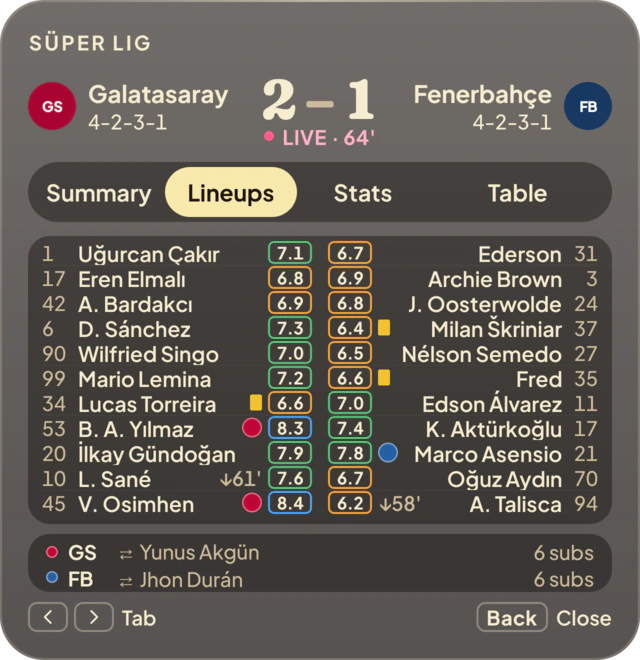
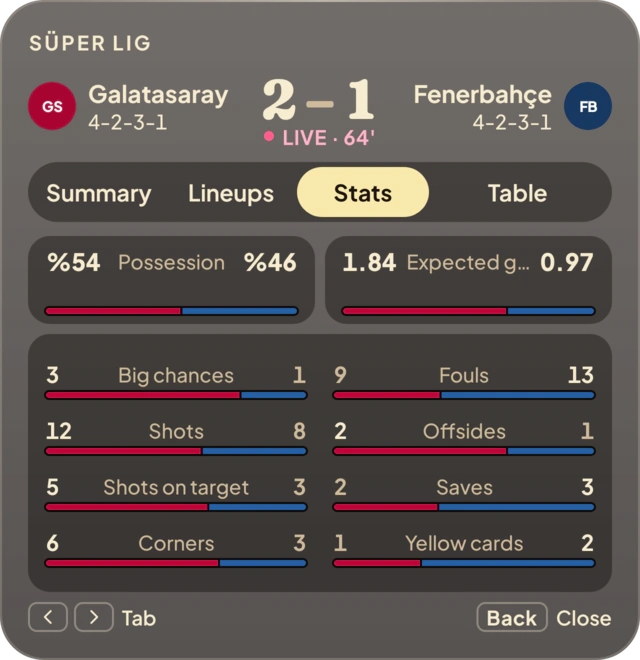
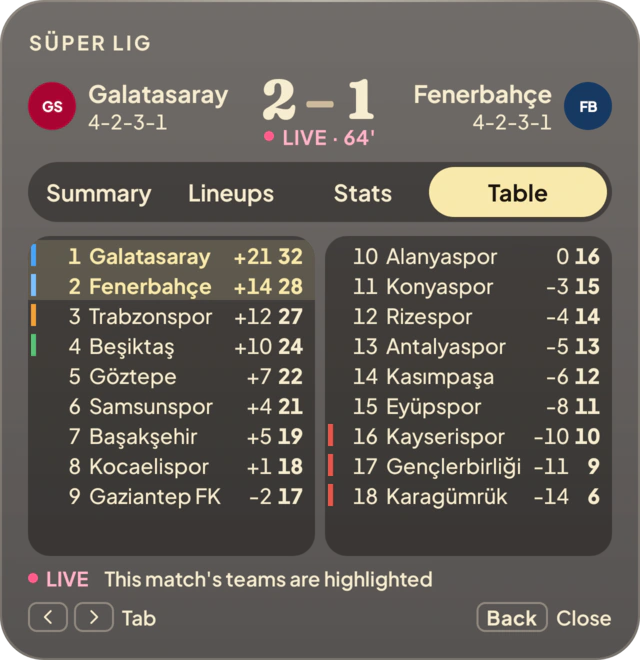
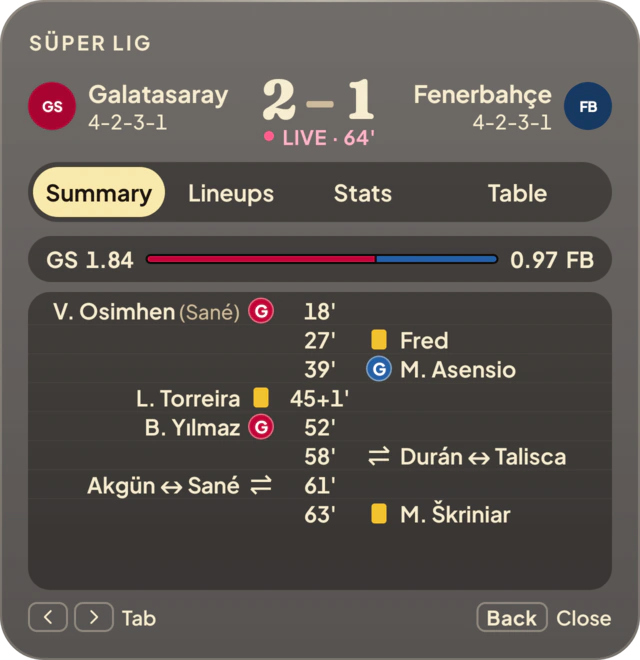
Line-ups, stats, goals, cards and the table open without closing the broadcast. Player ratings and expected goals too, depending on the match.

A match broadcast: the Galatasaray v Fenerbahçe derby in a full stadium
The match info window, Summary tab: Galatasaray 2–1 Fenerbahçe, 64th minute, goals, cards and substitutions The match info window, Line-ups tab: Galatasaray 2–1 Fenerbahçe, both line-ups with player ratings and substitutes The match info window, Stats tab: possession, expected goals, shots, corners and cards The match info window, Table tab: the Süper Lig table with this match’s teams highlighted

Live TV

What’s on now, what’s next?

The schedule stays beside you as you browse channels.
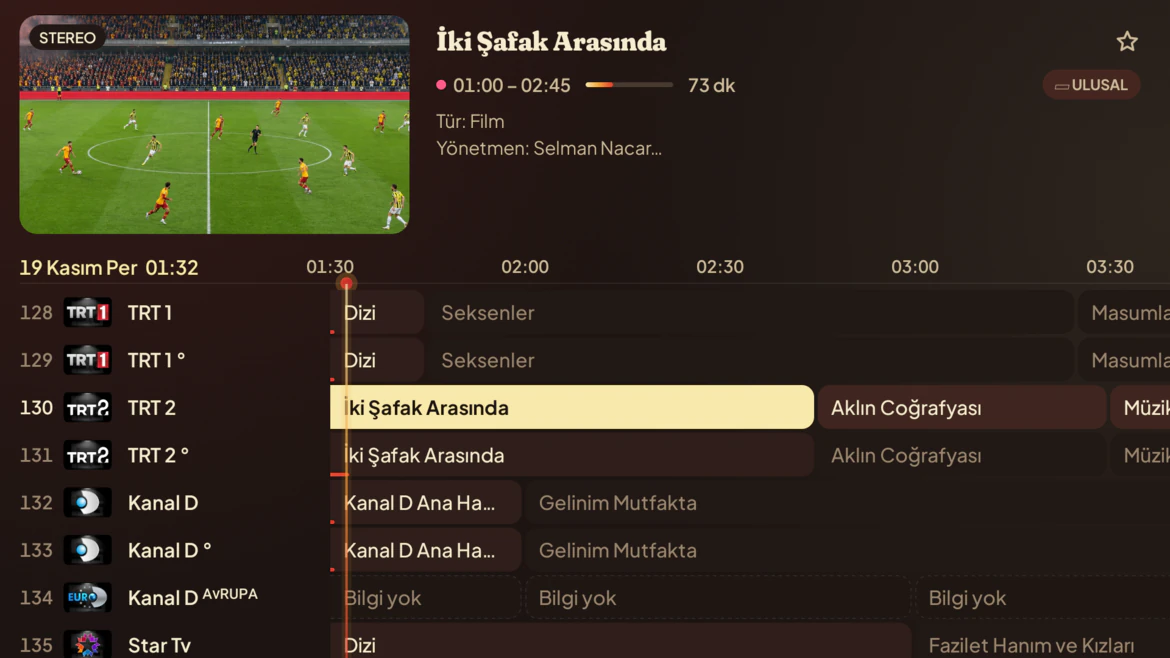
The live TV screen in Turkish: a live preview and the selected programme’s details on top, an hourly TV guide with channel logos below

On TV tonight.

What’s on which channel this evening, when it starts and what follows; all on the home page.

Catch-up and, with Premium, rewinding live TV are Android-only for now. Catch-up needs a playlist that supports it.
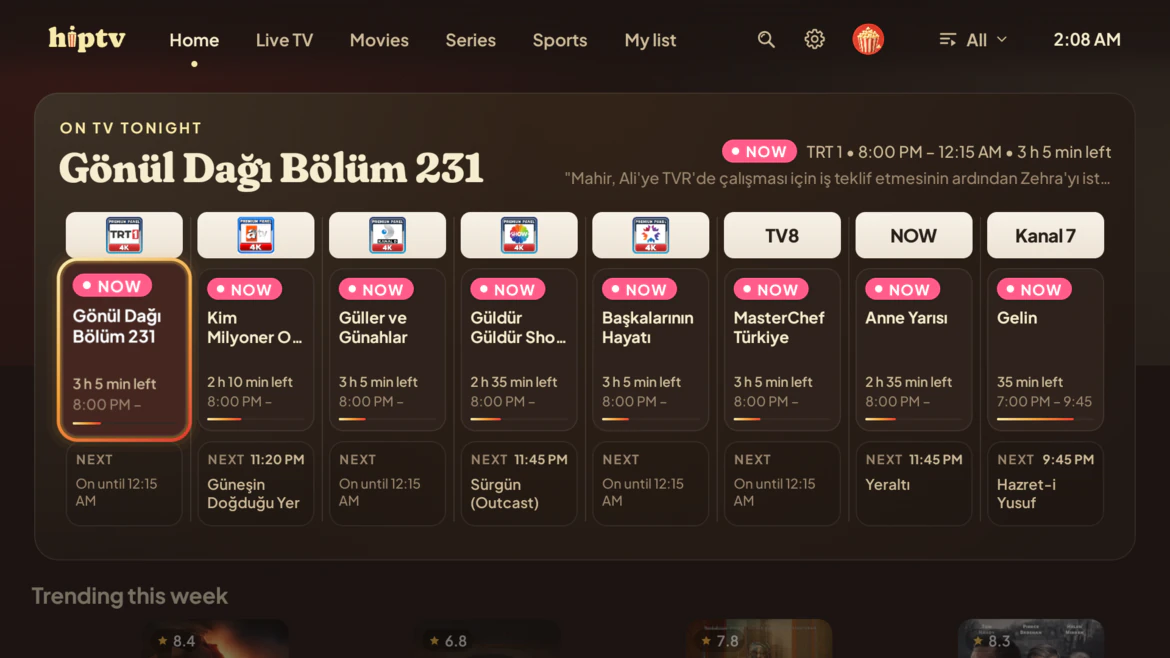
The On TV tonight row on the home screen: eight channel logos, the shows on now, how long is left and what comes next

Films and series

Every film has its own page.

Poster, synopsis, cast, ratings, trailer. Anything you stop halfway picks up where you left off.
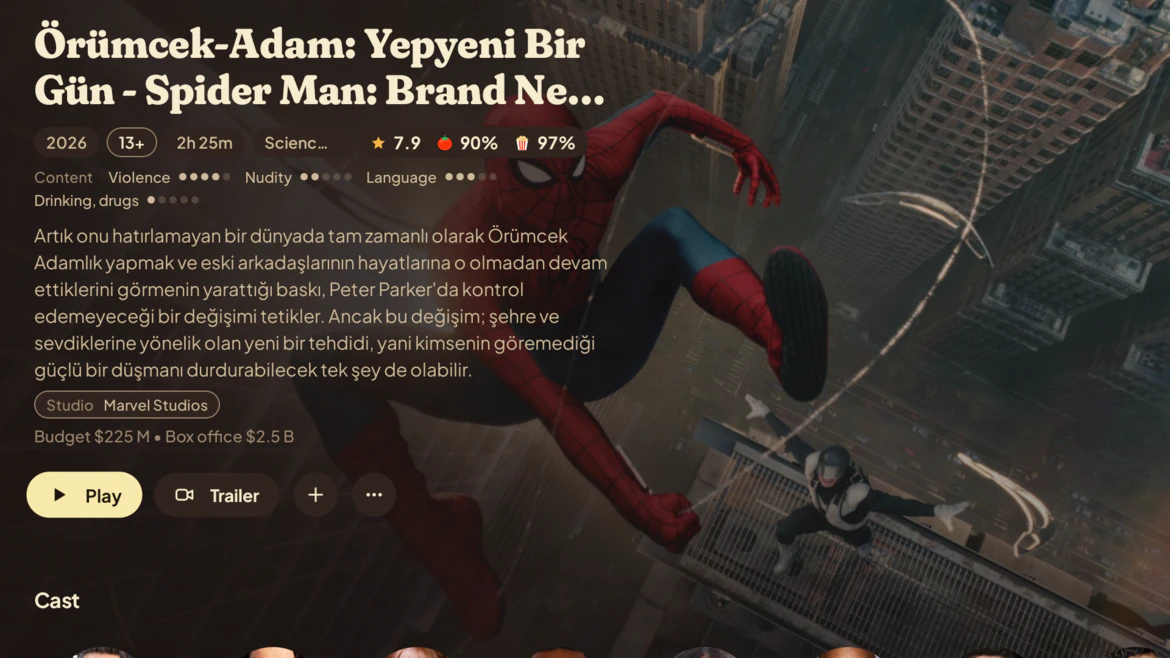
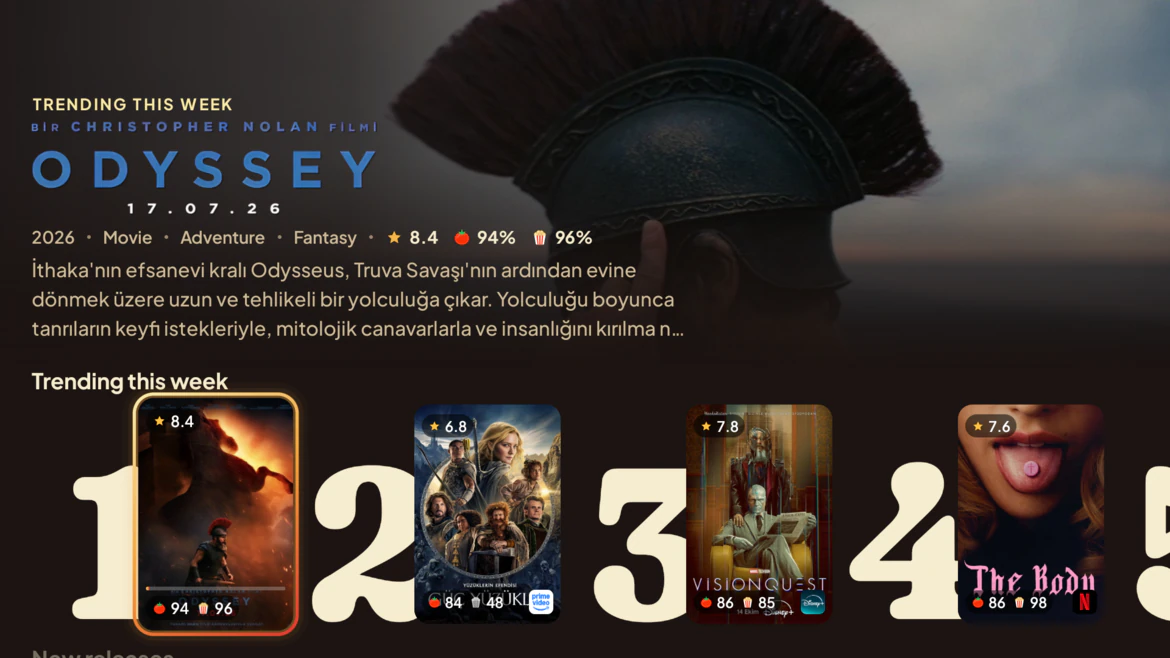
A film page for Spider-Man: Brand New Day: year, age rating, running time, scores, content advisories, synopsis, studio, Play and Trailer buttons and the cast The Trending this week row on the home screen: posters for Odyssey, The Rings of Power, VisionQuest and The Body with big rank numbers and their ratings
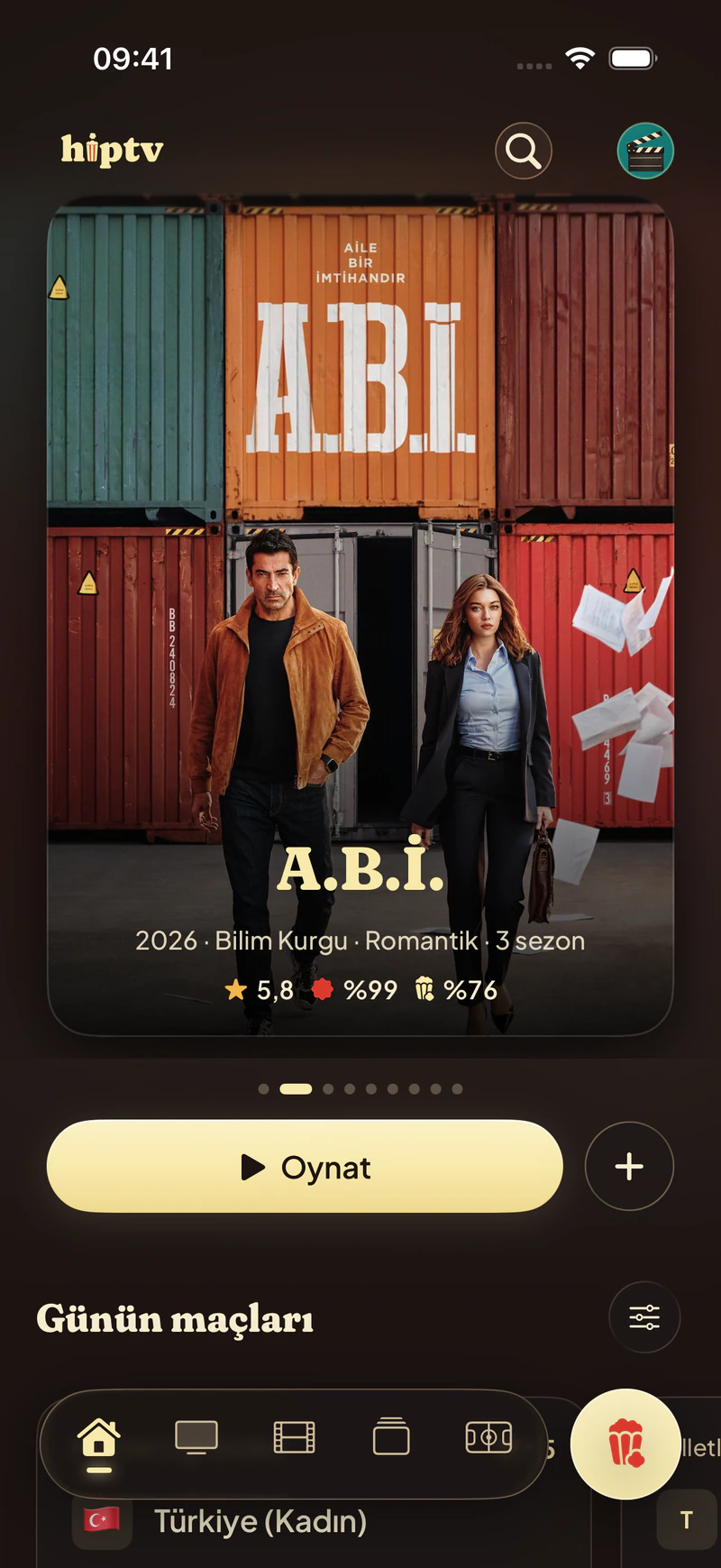
The home screen on iPhone, in Turkish: the featured series A.B.İ. with its ratings and a Play button, and Today’s matches below
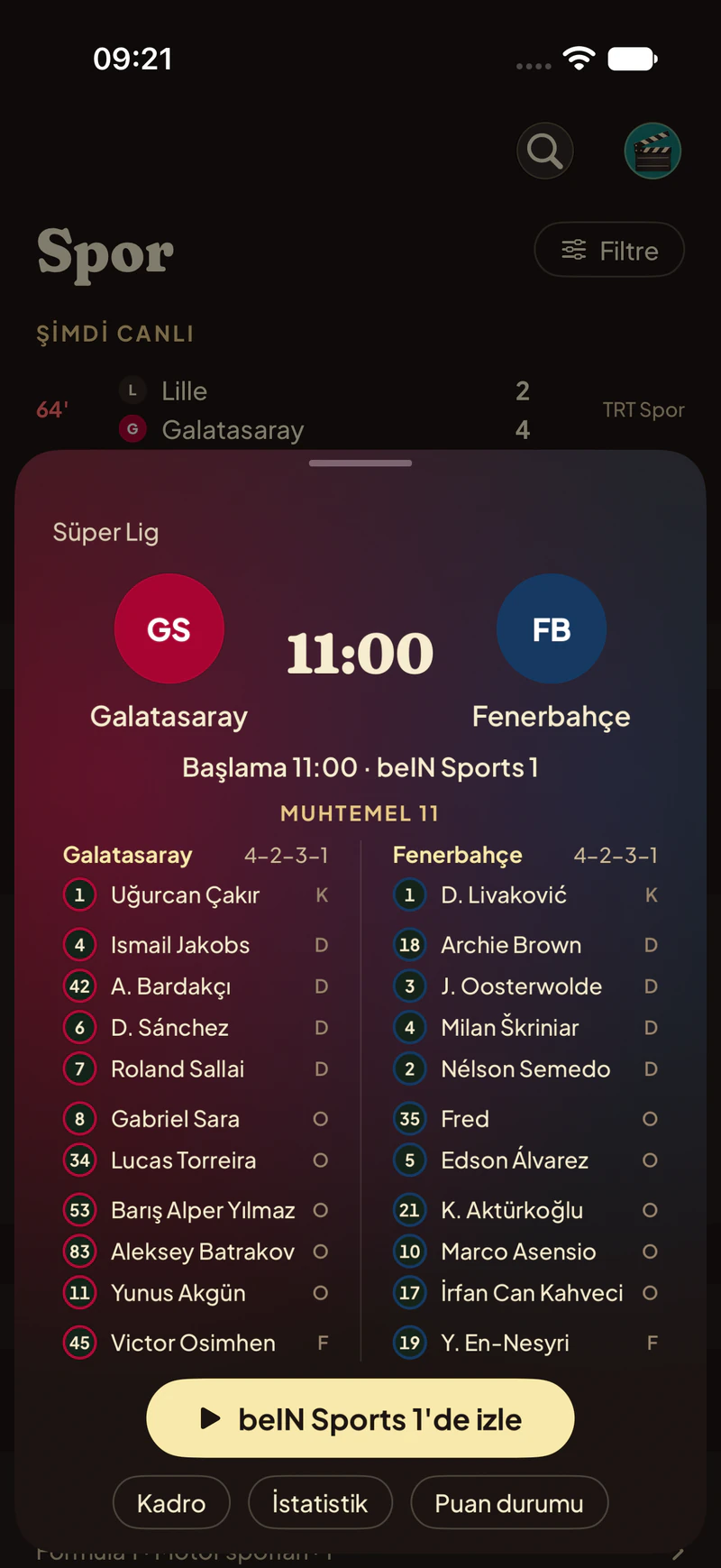
A match card on iPhone, in Turkish: both teams, kick-off time, the broadcasting channel and each side’s probable line-up

Every screen

On the TV at home, on your phone on the go.

Use the remote on TV, touch on phones and tablets. With an account and Premium, your profiles, history and lists stay the same on every device.

  • Profiles
  • PIN-protected kids profile
  • 16 themes
  • 25 languages
  • Xtream and M3U

Pricing

Try it first. Decide later.

All of Premium, free for 7 days. Live TV and the TV guide are always free.

Monthly

79.99 TRY / month

2 devices

Yearly Best value

299.99 TRY / year

3 devices

Lifetime

699.99 TRY, one payment

5 devices

Premium

What to watch?, the Sports page, ratings and awards, multiple profiles and a kids profile, sync between devices, all 16 themes.

Always free

Live TV, the TV guide, film and series pages, subtitles, one playlist and one profile.

Prices are for Turkey. On Apple, all devices on the same Apple Account count as one.

On Apple, the free trial applies to monthly and yearly plans for eligible accounts; it renews as a paid subscription unless you cancel.

Questions

Does HipTV come with channels or films?

No. HipTV is only a player; it has no content of its own. You add your own playlist; only use streams you have the right to watch.

Which playlists does it work with?

Xtream Codes and M3U/M3U8. On Android you can also add a Stalker portal. For the TV guide you can enter an XMLTV address.

Which devices does it run on?

Android 8.0 or later: Android TV, Google TV, TV boxes, phones and tablets. iOS and tvOS 18 or later: iPhone, iPad and Apple TV.

Where can I download it?

HipTV is coming soon to Google Play and the App Store. The download links will be on this page the day it launches.

Have another question?

Write to [email protected].

Lights off. HipTV on.

Coming soonGoogle PlayComing soonApp Store

7 days of Premium, free.